New: Playtest approvals for teams
We’ve shipped a handful of improvements recently, all focused on one thing: reducing friction before, during and after your playtests.
Here’s what’s new.
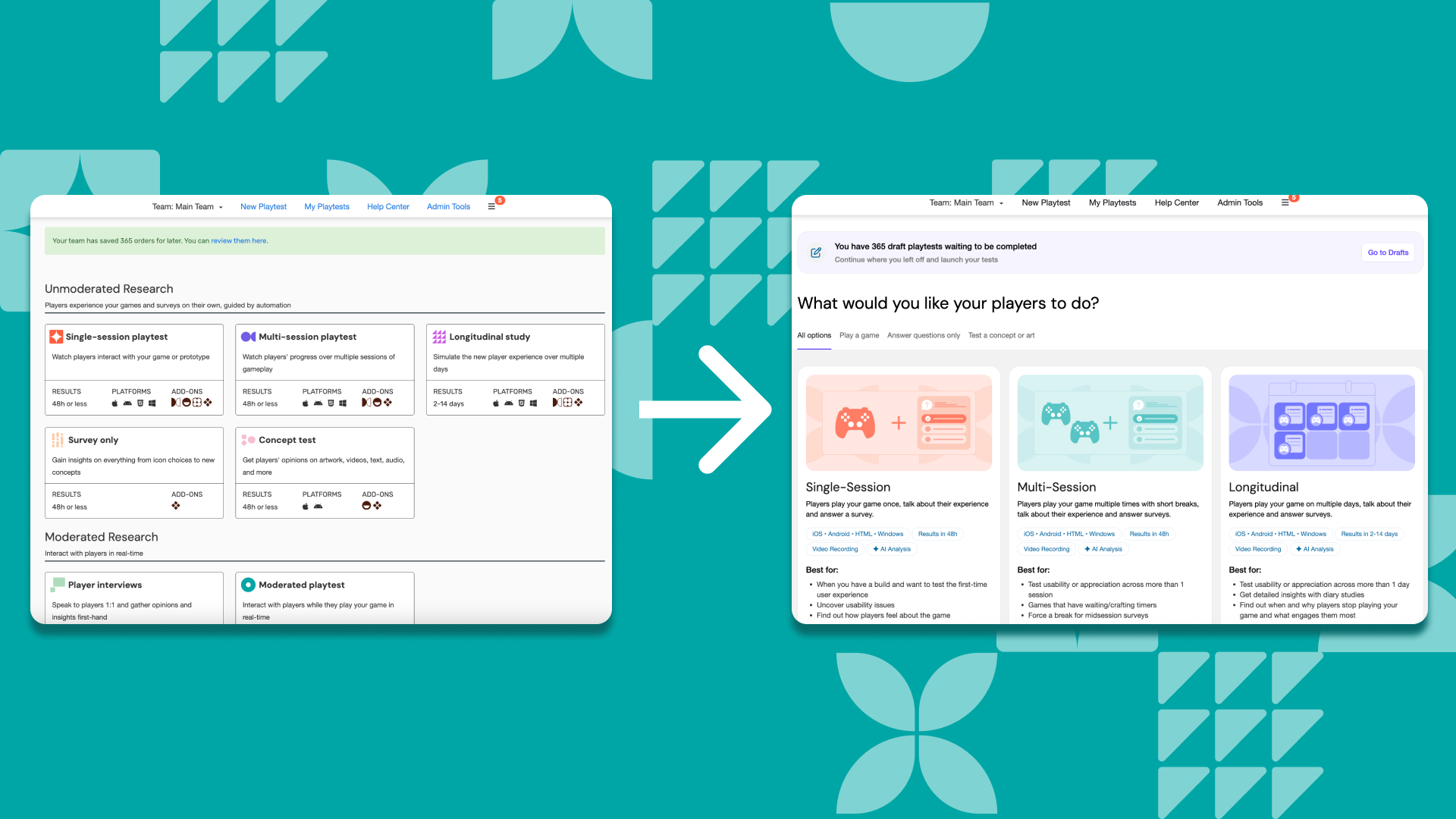
A new Playtest Select page
We’ve redesigned the Playtest Select page (the one you see after clicking “New playtest”).
Why? In user testing we saw that this is where many customers decide which playtest to run, especially folks who aren’t researchers.
What’s changed:
- A new design that matches the playtest results page
- More upfront guidance on research questions, sample sizes, and available options
- Filters to quickly narrow down playtests by goal (gameplay, questions-only or concept testing)
- Clearer visibility of custom options like expert researcher support and accessibility testing
The goal is simple: help you choose the right playtest with more confidence and less guesswork.
Surveys after moderated sessions
You can now add surveys after Interview and Live (moderated) playtests.
This makes it easier to:
- Collect structured feedback after a session
- Ask consistent follow-up questions
- Combine qualitative insights with quick quantitative checks
Same moderated session, better coverage.
That’s it for now.
As always, thanks for the feedback and keep it coming!

We're PlaytestCloud and we help game studios gather feedback from their target players and make more successful games. Thanks for reading!